Welcome! This guide will show you how to up and running with your Hytale server!
Step 1:
Go to your servers console page
Step 2:
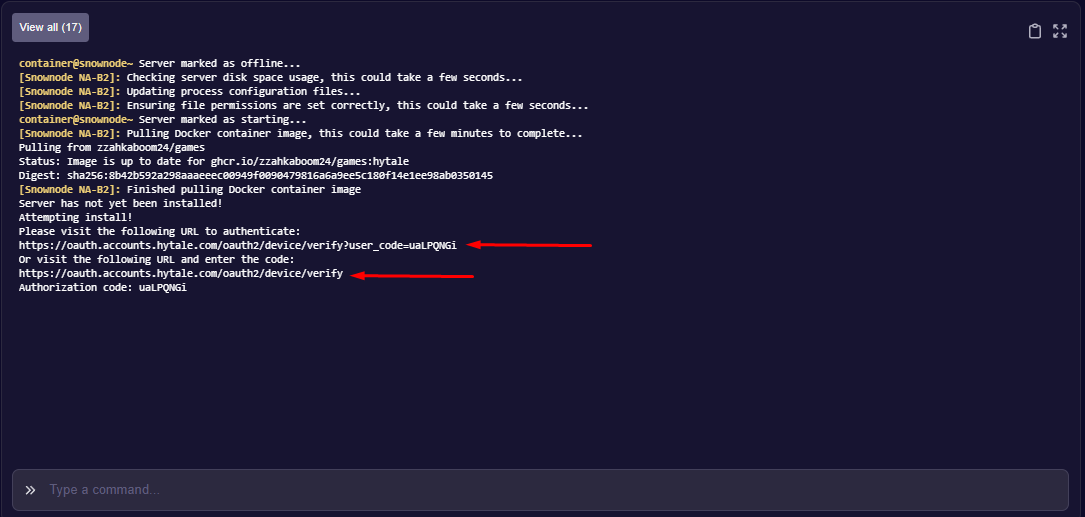
You will see an output like this after clicking start:
Step 3:
You will now need to verify the server on your Hytale account using either of the 2 links. The top link will copy the code automatically for you.
Step 4:
After clicking the link you will be transferred over to authenticate with your hytale account. Once you login you will see this:
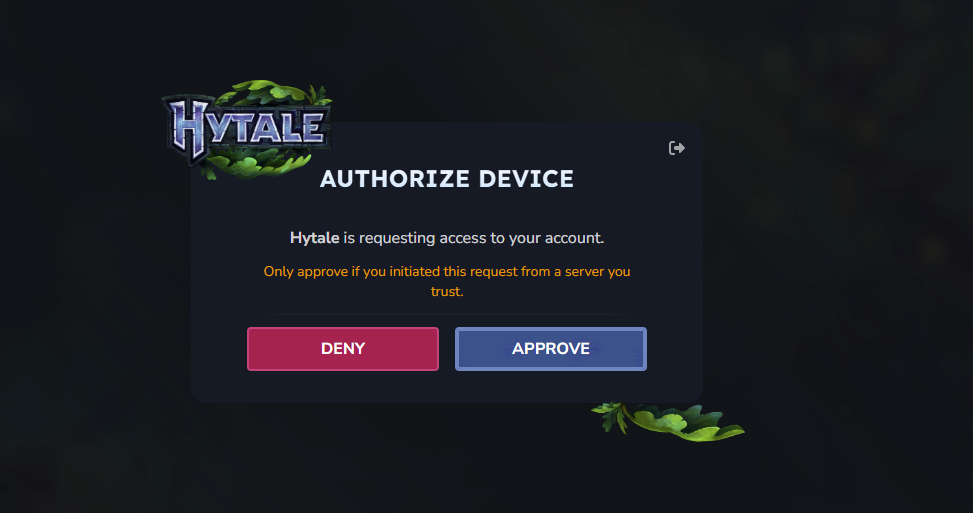
Click "APPROVE". Once you click approve the server will then install the server files for your hytale server.
Step 5:
After the server files have installed you will see this on the console:
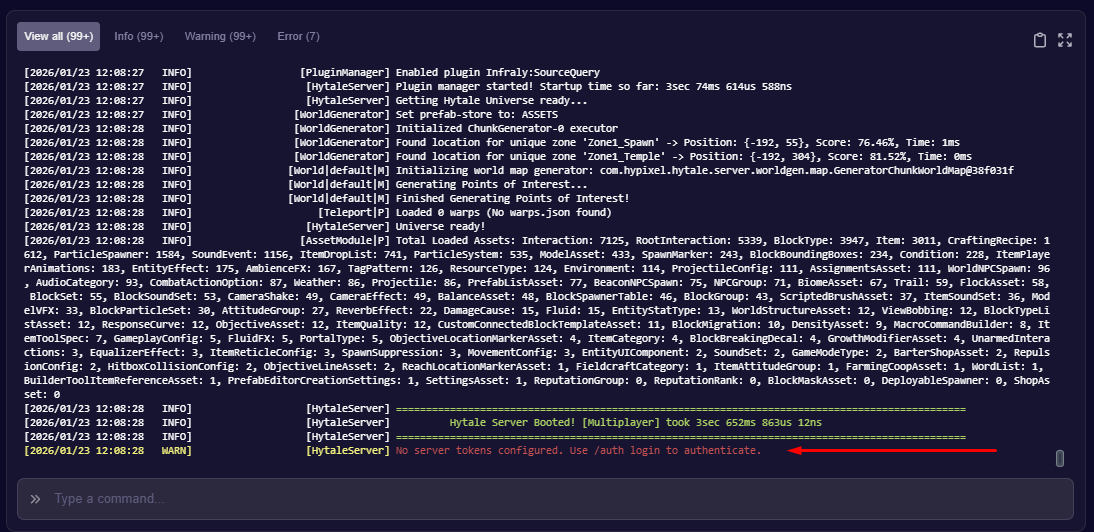
Where you see the red arrow pointing you will now copy this " /auth login device " and enter it into the console.
This will bring the following up on the console:
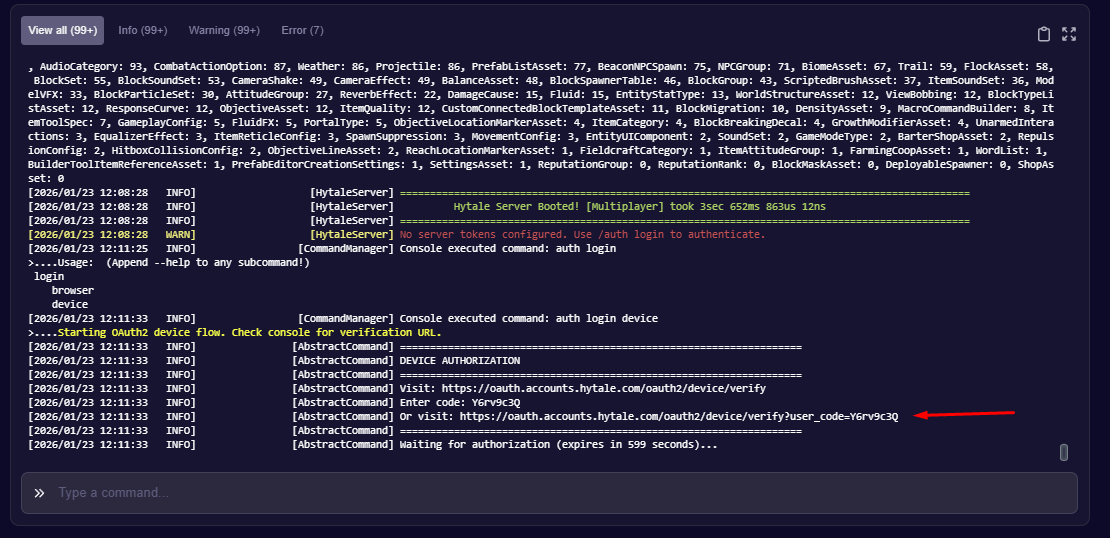
Now click this link to authenticate the server onto your hytale account.
Step 6:
Next is to save the tokens so you don't have to repeat this authentication every time you start your hytale server!
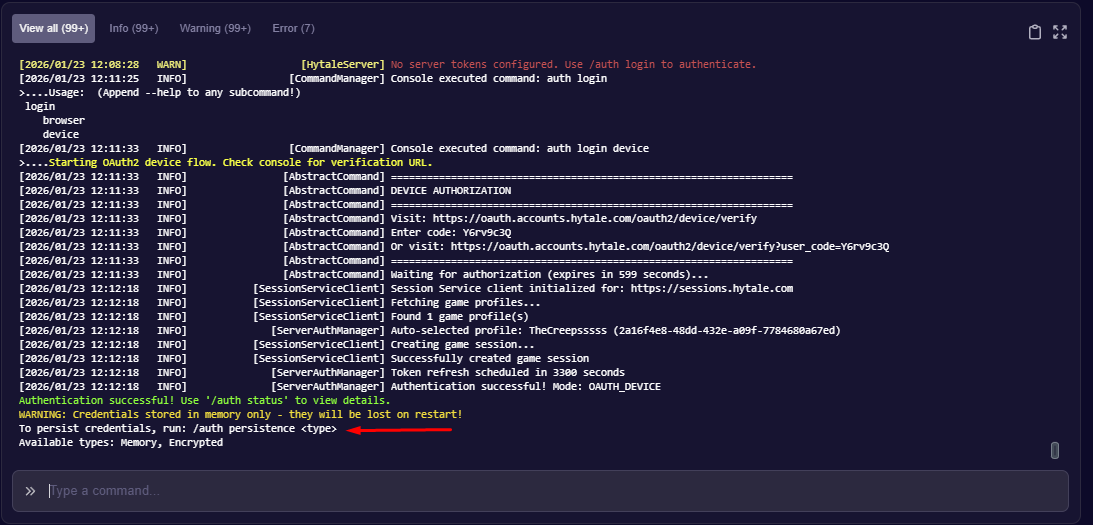
Type the following and enter it into the console: /auth persistence Encrypted
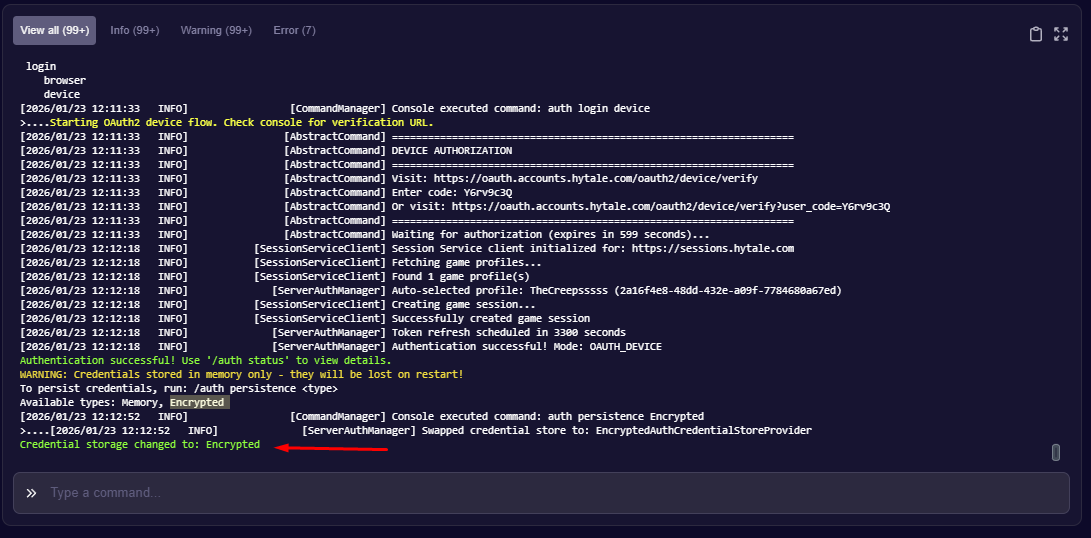
If this is successful you will see the following on the console:
Step 7:
No you are setup and ready to get roaming your Hytale server!
Please note we offer the service to authenticate servers for you if you face any issues just ask us!